stable-video-diffusion.cc
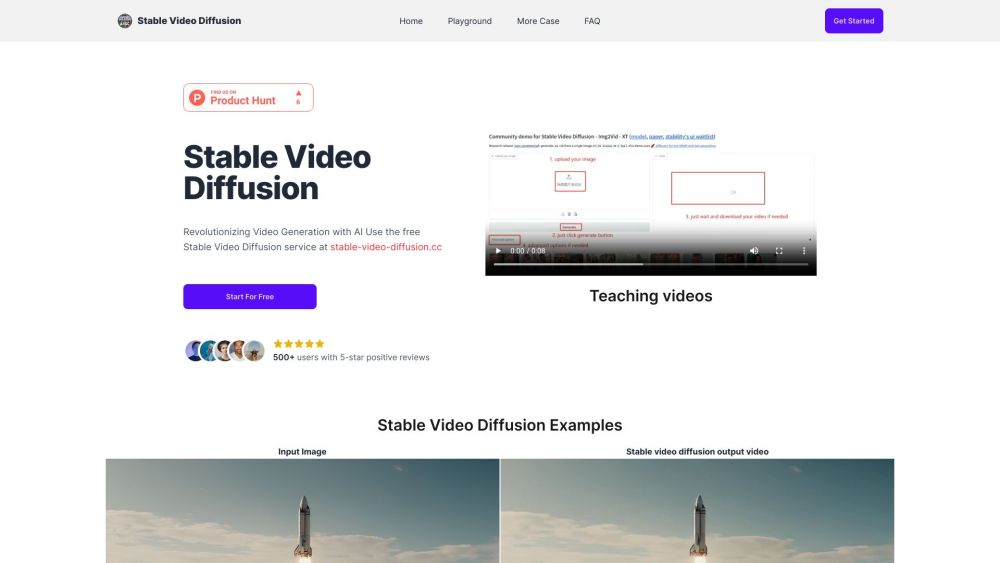
Transform static images into high-quality videos.
(3.0)
- Added on
- Dec 12 2023
- Monthly Visitors
- 0.0K
Description
What is stable-video-diffusion.cc?
Stable Diffusion Video, a generative AI video model crafted by Stability AI, builds upon the Stable Diffusion image model. It dynamically transforms static images into remarkable high-quality video sequences.
How to use stable-video-diffusion.cc?
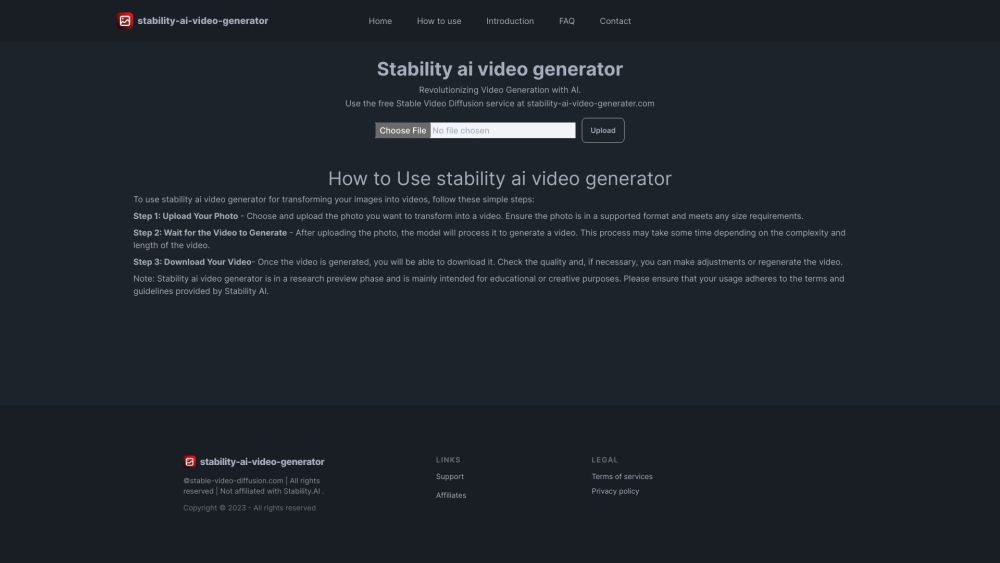
Step 1. Upload Your Photo: Select the photo you wish to transform into a video and upload it. Ensure the photo is in a compatible format and meets any size specifications. Step 2. Select Motion Bucket ID(optional): This option allows users to control the amount of motion to be added or removed from the image. Step 3. Choose Frames Per Second(optional): This setting lets users dictate the number of frames per second for their video. Step 4. Click Generate Button and Await Video Generation: After uploading the photo, the model processes it to create a video. The duration of this process depends on the video's complexity and length. Step 5. Download Your Video: Upon completion, download your generated video. Review its quality and, if needed, make adjustments or regenerate the video. Note: Stable Video Diffusion is currently in a research preview phase, primarily suited for educational or creative purposes. Ensure compliance with Stability AI's terms and guidelines when using this tool.
stable-video-diffusion.cc Core Features
- Delivering high-resolution outputs and multi-view synthesis capabilities, our solution excels in generating videos from a single image. This versatility makes it ideal for a wide range of downstream tasks.
FAQ from stable-video-diffusion.cc
Stable Diffusion Video, a generative AI video model crafted by Stability AI, builds upon the Stable Diffusion image model. It dynamically transforms static images into remarkable high-quality video sequences.
Delivering high-resolution outputs and multi-view synthesis capabilities, our solution excels in generating videos from a single image. This versatility makes it ideal for a wide range of downstream tasks.
To use Stable Video Diffusion, follow these steps: 1. Upload Your Photo 2. Select Motion Bucket ID (optional) 3. Choose Frames Per Second (optional) 4. Click Generate Button and Await Video Generation 5. Download Your Video
Stable Diffusion Video empowers 2D image synthesis models to create dynamic video content. It enhances these models by integrating temporal layers and refining them using extensive video datasets.
Stable Diffusion Video accommodates custom frame rates ranging from 3 to 30 frames per second (fps), offering a resolution of 576×1024.
The training of Stable Diffusion Video is conducted using a massive dataset comprising millions of videos, primarily sourced from publicly available research datasets.
Stable Diffusion Video outperforms prominent closed models in user preference studies and excels in multi-view synthesis capabilities.
Detailed instructions on accessing and utilizing the model can be found on Stability AI’s website.
As of now, it's primarily intended for research purposes. It generates relatively short videos and may not achieve complete photorealism.
You can share feedback through Stability AI’s social media platforms or utilize the contact options available on their website.
Presently, the model isn't tailored for real-world or commercial applications, but future developments might offer opportunities in this domain.
Stability AI is actively planning enhancements for the model, envisioning improvements, new features, and potential adaptations for commercial applications.
Stable Diffusion Video simplifies the process of creating video content, offering innovative tools beneficial in realms like art and education.
Stable Diffusion Video marks a significant milestone in AI model diversification, holding a pivotal role in the field's evolution.
Stability AI's roadmap includes plans to broaden language support and enhance cultural adaptability for Stable Diffusion Video.
Stability AI places emphasis on the model's research-oriented nature and enforces specific terms of use to ensure responsible usage.
Users should refrain from using the model to fabricate 'factual' depictions of individuals or events that are untrue.
While there's a potential risk, Stability AI underscores the model's current research status and the imposition of usage restrictions.
Misuse of the model can be reported through Stability AI's official channels for prompt action and investigation.
Analytic
Estimated monthly visits
Traffic Sources
Top Country Shares
Alternative




Videos

How to use ChatGPT in 2024

How to Create Presentations with Gamma AI

Kling vs. Runway Gen 3 vs. Luma Dream Machine vs. Pixverse

How to UNLOCK UNLIMITED ACCESS to COURSE HERO using CHAT GPT
How To Generate INSANE AI Art For Beginners (Midjourney V4 )
Articles

10 ChatGPT Prompts to Finish Hours of Work in Seconds
In the fast-paced digital world, efficiency is king. As professionals, we constantly seek ways to streamline our workflows and maximize productivity. Enter ChatGPT, an AI language model that can revolutionize how you approach your tasks. Here are ten prompts that can transform hours of work into seconds.
Read more
GPT-4o vs ChatGPT-4 vs Gemini vs Perplexity AI vs CoPilot
OpenAI’s launch of GPT-4o marks a significant milestone in the evolution of artificial intelligence technology. This new model, introduced in May 2024, builds on the foundations of its predecessors by integrating advanced multimodal capabilities that promise to revolutionize how we interact with machines.
Read more
7 Best Ways to Use ChatGPT Custom Instructions
Have you ever thought of customizing how ChatGPT, the most advanced conversational AI platform that has created its influence all over the world, responds to your queries? Whether your ChatGPT responses are more aligned with your role, tone, style, or goals, making them more engaging and appealing, If yes, then you are in benefit because of ChatGPT’s new feature that lets people do that, which is the ChatGPT custom instructions.
Read more
How To Use ChatGPT To Make Money in the Stock Market
Artificial intelligence is creating waves in the technology world. Many industries use ChatGPT to automate monotonous and tedious tasks, and you can use ChatGPT To Make Money in the Stock Market.
Read more
10 Best ChatGPT Plugins You Should Use
ChatGPT is a Natural Language Processing tool released by OpenAI in 2023. Almost like a human, this tool can interact with the person by its ability to answer follow-up questions, admit mistakes, correct responses challenge incorrect premises, reject inappropriate requests, and much more. With these abilities, ChatGPT has become a very powerful and popular tool for a wide range of applications.
Read more